
Adobe
Claude connectorDesign, combine, and edit with Adobe pro tools
- Tools
- 67
exposed by this connector
Movement
From our daily snapshots over the last 30 days.
Rank by popularity
Rank by trending score
Popularity score
Trending score
In its categories
How this connector compares with others in the same category. Positions are counted within the category, not across the whole directory.
Creative3rd of 386 by popularity · 35th of 201 by trending score




Productivity9th of 2,822 by popularity · 158th of 1,305 by trending score

Also on other marketplaces

More from Adobe Inc.
All listings by Adobe Inc.Adobe Marketing Agent#68 of 5,183 by popularity
Adobe Journey Optimizer#158 of 5,183 by popularity
 React Spectrum (S2)#2436 of 5,183 by popularity
1 more on the publisher’s page.
Adobe for Claude unlocks more ways to create and get work done by bringing in creativity and productivity capabilities across Acrobat, Photoshop, Lightroom, Illustrator, Firefly, Premiere, Adobe Express, InDesign, and Stock directly into your conversation. Describe what you want to make or change, and Adobe can help turn ideas, images, videos, and documents into polished outputs — edit multiple photos, create assets, edit and organize PDFs, and resize video. Key capabilities:
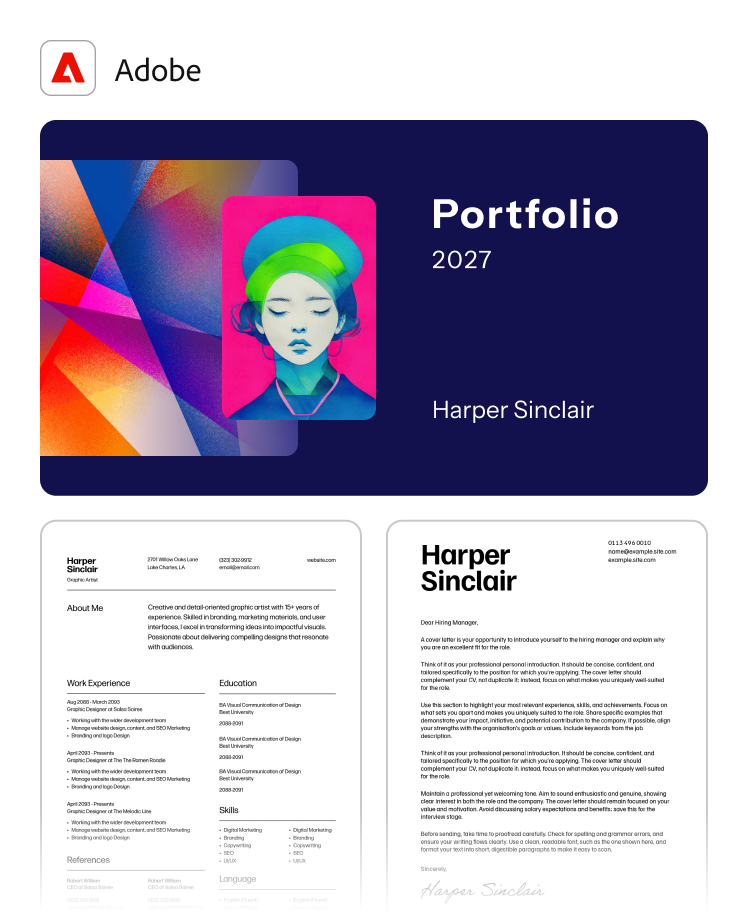
- Create and customize designs: Find templates for marketing materials, proposals, invitations, and more. Personalize text, replace and resize images, change colors, and refine designs in a live editor.
- Create, review, and refine PDFs: Turn designs into shareable PDFs, organize pages, edit content, redact sensitive information, add annotations, and review documents in an interactive viewer.
- Edit photos individually or in bulk: Adjust color and lighting, blur or remove backgrounds, straighten images, and expand or crop photos.
- Search, organize, and summarize content: Find Creative Cloud assets, summarize documents, and manage files directly from your conversation.
- Adapt assets for different channels: Resize and crop images for social platforms and other formats, then download and share the finished assets.
Screenshots


Example prompts
- “Combine and organize these files into a professional portfolio PDF”
- “Create a brochure for my fall promotion using my brand colors”
- “Resize this image for all my social media channels”
Install
claude mcp add --transport http adobe-creativity https://adobe-creativity.adobe.io/mcp
Tools
- adobe_mandatory_init
- animate_design
- asset_add_file
- asset_copy_assets
- asset_create_folders
- asset_finalize_file_upload
- asset_get_brand
- asset_get_brand_color_themes
- asset_get_brand_colors
- asset_get_brand_fonts
- asset_get_brand_guidelines
- asset_get_brand_logos
- asset_initialize_file_upload
- asset_inline_preview
- asset_license_and_download_stock
- asset_list_brands
- asset_preview_file
- asset_search
Show all 67Show fewer
- change_background_color
- create_firefly_board
- document_convert_pdf
- document_merge_data_layout
- document_merge_data_vector
- document_render_layout
- document_render_vector
- enhanceSpeechPoll
- fill_text
- font_recommend
- image_add_grain
- image_add_noise
- image_adjust_brightness_and_contrast
- image_adjust_color_temperature
- image_adjust_dark_portions
- image_adjust_exposure
- image_adjust_highlights
- image_adjust_hsl
- image_adjust_light_portions
- image_adjust_single_color_saturation
- image_adjust_vibrance_and_saturation
- image_apply_auto_tone
- image_apply_color_overlay
- image_apply_gaussian_blur
- image_apply_glitch_effect
- image_apply_halftone
- image_apply_lens_blur
- image_apply_monochromatic_tint
- image_apply_preset
- image_auto_straighten
- image_crop_and_resize
- image_crop_to_bounds
- image_fill_area
- image_generative_expand
- image_invert_selection
- image_list_presets
- image_remove_background
- image_select_by_prompt
- image_select_subject
- image_vectorize
- media_enhance_speech
- media_summarize
- quickCutPoll
- resizeVideoPoll
- search_design
- summarizePoll
- vectorPollingHelper
- video_create_quick_cut
- video_resize
- Categories
- Made by
- Adobe Inc. · Website
- Sign-in
- Required
- Connector URL
- https://adobe-creativity.adobe.io/mcp
- Transport
- Streamable HTTP
- Permissions
- Read + Write
- Works with
- Claude, Claude API, Claude Code, Claude Desktop
- Acts on
- Designs & media, Files & documents
- Department
- Design
- Added
- April 22, 2026
- More info