

Piano Take Workbench
Claude connectorCommunityPlay an explicitly enabled sine-tone keyboard, capture delivered note spans, inspect timing and export actual MIDI and synthesized WAV file…
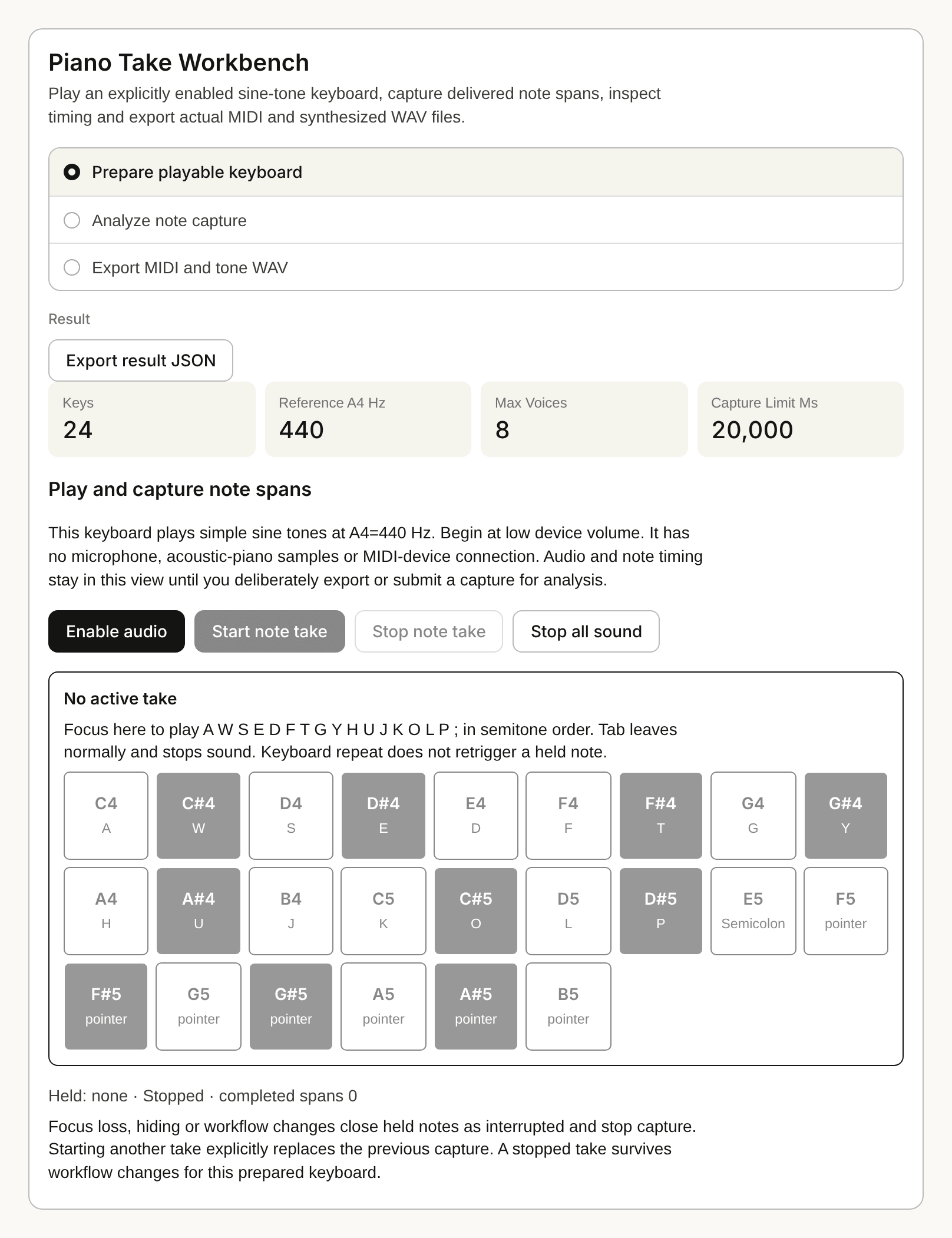
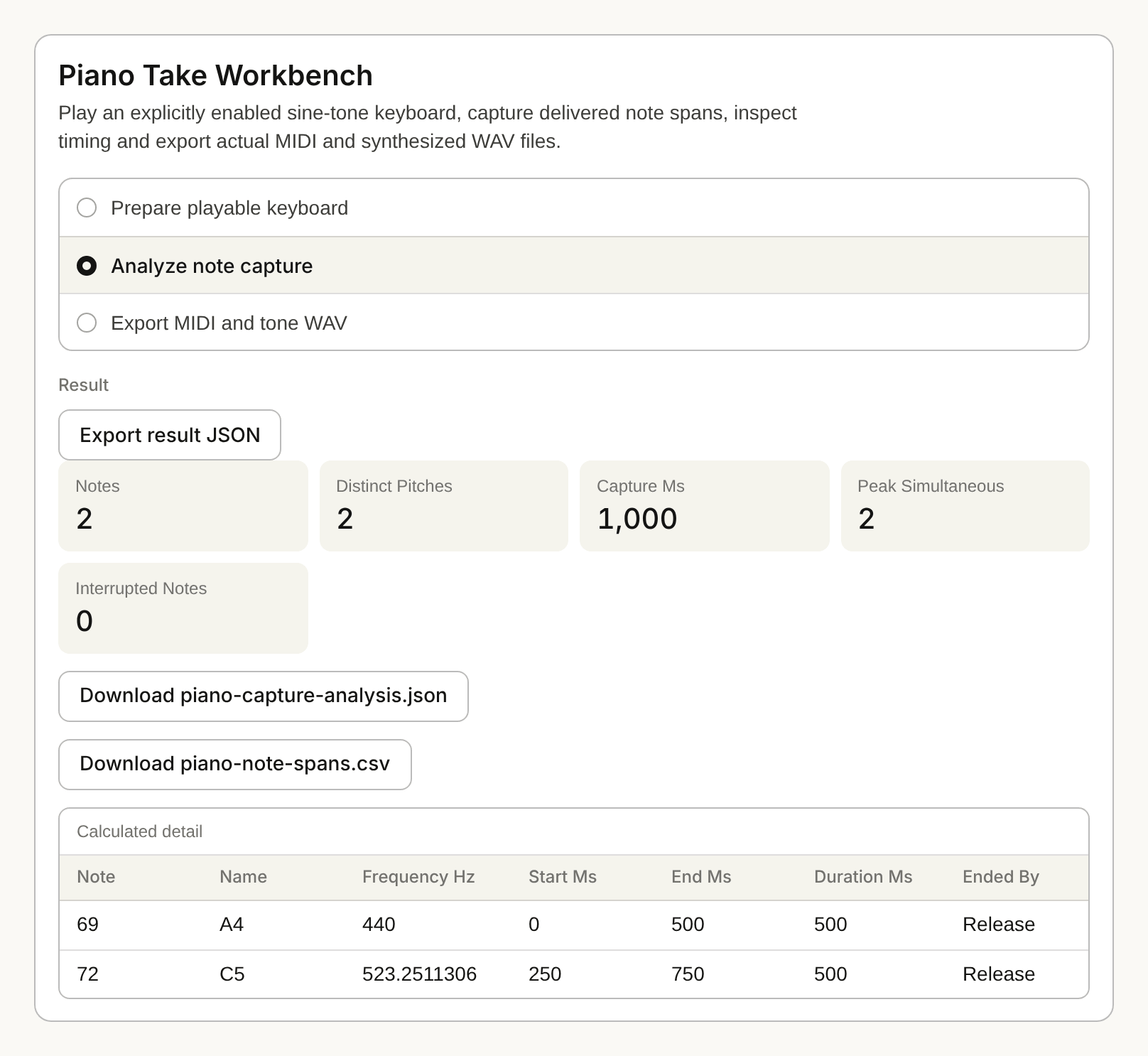
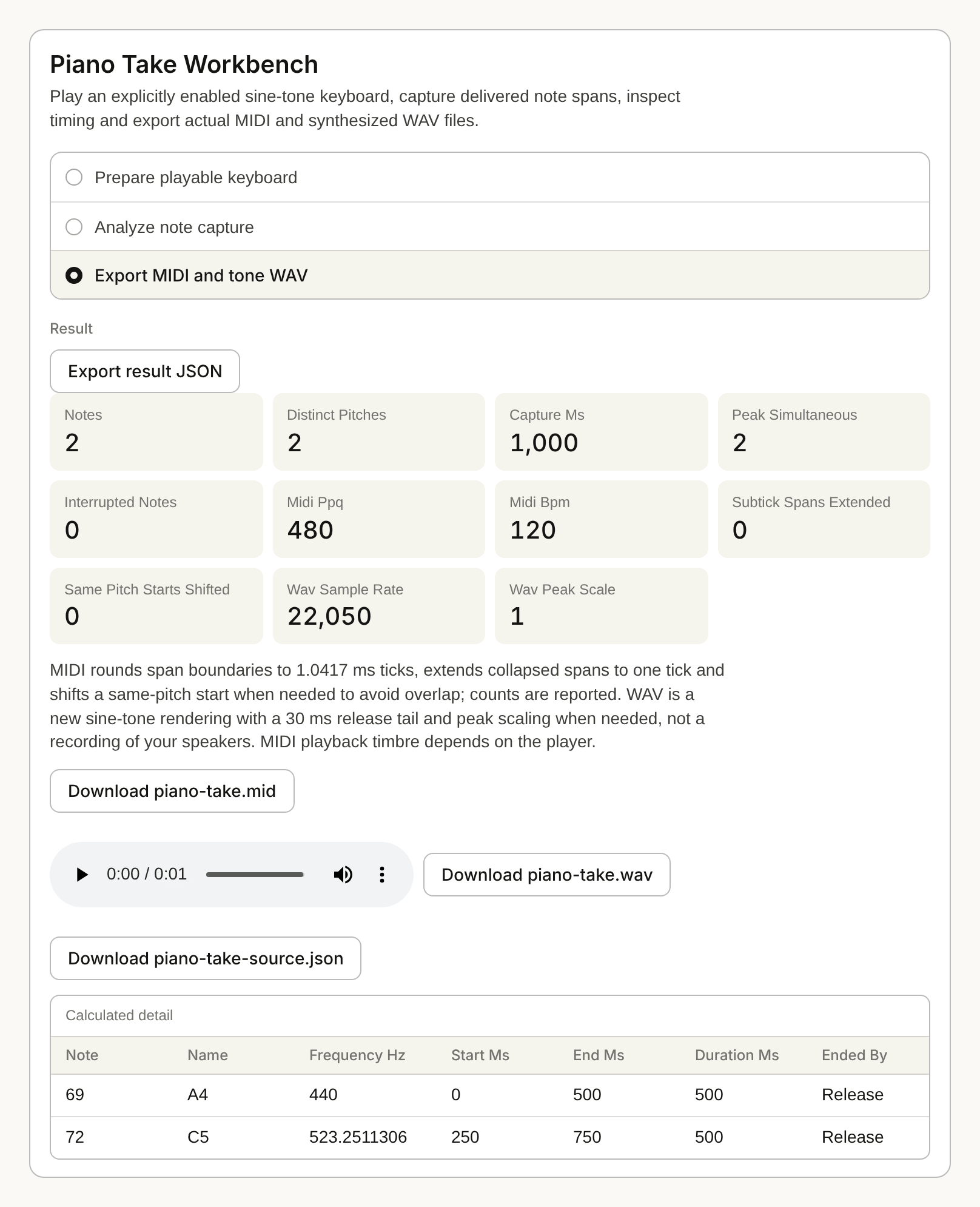
Piano Take Workbench gives Claude a tool that does one job with fixed code: play an explicitly enabled sine-tone keyboard, capture delivered note spans, inspect timing and export actual MIDI and synthesized WAV files.
Read the full descriptionShow less
Claude cannot make sound or hear you play. The panel is a playable keyboard: it captures the notes you play and exports them as a standard MIDI file and a WAV file.
Limits: Simple equal-tempered sine tones at A4=440 Hz, not sampled acoustic piano. MIDI range 48–95, 12 or 24 displayed keys, eight simultaneous voices, 20 seconds and 128 captured notes. Audio begins only after Enable audio and a delivered trusted key/pointer action. Focus loss, hiding or workflow changes stop voices and capture; interrupted notes are labelled. No microphone, device MIDI, background listening, acoustic latency measurement or musical transcription. Capture reports are supplied editable observations. MIDI exports use fixed 120 BPM/480 PPQ and round to ticks; WAV exports synthesize 22050 Hz mono PCM sine tones from spans, not captured speaker audio.
Nothing is stored. There is no sign-in and no AI model is used.
Piano Take Workbench is #12,411 of 13,364 Claude connectors by popularity.
- Tools
- 4
exposed by this connector
Movement
From our daily snapshots, up to 90 days back.
Rank by popularity
Not enough data points to chart.
Rank by trending score
Popularity score
Not enough data points to chart.
Trending score
In its category
How this connector ranks within each of its categories.
Media entertainment919th of 947 by popularity · not ranked by trending score
| # | Connector | Popularity | Trending | 7d |
|---|---|---|---|---|
| 917 | 1,000 | — | 1,142places down | |
| 918 | 1,000 | — | 1,142places down | |
| 919 | Piano Take WorkbenchThis page | 1,000 | — | — |
| 920 |  Podland | 1,000 | — | 1,142places down |
| 921 | 1,000 | — | — |
This connector isn’t ranked by trending score, so the category’s top connectors are shown instead.
| # | Connector | Trending | Popularity | 7d |
|---|---|---|---|---|
| 1 | 872,160 | 9,283 #111 | 57places up | |
| 2 | 600,158 | 9,830 #90 | 10places up | |
| 3 |  Getty Images | 386,156 | 11,780 #44 | 165places up |
| 4 |  Video2Prompt | 224,359 | 10,672 #66 | — |
| 5 | 211,783 | 13,981 #18 | 156places up |
Also on other marketplaces
More from NebulaCafe Studio
All listings by NebulaCafe Studio Clip Composer#3783 of 13,364 by popularity
 Video Look Lab#4097 of 13,364 by popularity
 GIF Studio#4435 of 13,364 by popularity
 Color Match#6132 of 13,364 by popularity
 Collage Studio#6335 of 13,364 by popularity
 Vertical Remix#6405 of 13,364 by popularity
31 more on the publisher’s page.
Screenshots
Example prompts
- “Open a two-octave piano keyboard starting at middle C so I can record a take.”
- “Here is the take I captured. How long is each note, and where do notes overlap?”
- “Export this captured take as a MIDI file and a WAV file.”
Install
claude mcp add --transport http piano-take-workbench https://nebulacafe.studio/claude/piano-take-workbench/mcp
Tools
- piano_take_workbench_analyze
- piano_take_workbench_export
- piano_take_workbench_prepare
- piano_take_workbench_workspace
- Categories
- Made by
- NebulaCafe Studio · Website
- Sign-in
- Not required
- Connector URL
- https://nebulacafe.studio/claude/piano-take-workbench/mcp
- Transport
- Streamable HTTP
- Works with
- Claude, Claude API, Claude Code, Claude Desktop
- Added
- November 20, 2026
- More info
Publish this connector?
Show its standing on your own site, quote it with its date, or put it in front of everyone browsing the directory.
