

TEXT TO QUANT
Claude connectorBacktest trading strategies written in plain English on real market data, with graded, honesty flagged reports.
- Tools
- 77
exposed by this connector
Movement
From our daily snapshots over the last 30 days.
Rank by popularity
Rank by trending score
Popularity score
Trending score
In its categories
How this connector compares with others in the same category. Positions are counted within the category, not across the whole directory.
Financial services151st of 691 by popularity · 2nd of 364 by trending score
| # | Connector | Popularity | Trending | 7d |
|---|---|---|---|---|
| 148 | 10,729 | 34places down | ||
| 149 | 10,690 | 125places up | ||
| 150 | 10,592 | 59places down | ||
| 151 | TEXT TO QUANTThis page | 10,518 | — | |
| 152 | 10,509 | 35places down | ||
| 153 | 10,499 | — | ||
| 154 |  Contract-Factory — Sociétés & SIREN Contract-Factory — Sociétés & SIREN | 10,438 | 23places down |
| # | Connector | Trending | Popularity | 7d |
|---|---|---|---|---|
| 1 | 6,048,830 | — | ||
| 2 | TEXT TO QUANTThis page | 5,128,156 | — | |
| 3 |  Etherscan Etherscan | 3,037,347 | — | |
| 4 |  Keel Keel | 2,221,248 | 21places up | |
| 5 | 2,079,337 | — | ||
| 6 |  Coinversa Pulse Coinversa Pulse | 1,956,519 | 9places down | |
| 7 |  SuperBooks SuperBooks | 1,274,384 | — |
Data analytics246th of 1,936 by popularity · 2nd of 937 by trending score
| # | Connector | Popularity | Trending | 7d |
|---|---|---|---|---|
| 243 | 10,526 | 24places down | ||
| 244 |  Chattermill Chattermill | 10,521 | 60places down | |
| 245 | 10,520 | 50places down | ||
| 246 | TEXT TO QUANTThis page | 10,518 | — | |
| 247 |  Sellerise Sellerise | 10,514 | 52places down | |
| 248 |  InsightfulPipe — Google Ads, Meta Ads, GA4, SEO, Social & Shopify InsightfulPipe — Google Ads, Meta Ads, GA4, SEO, Social & Shopify | 10,487 | 33places down | |
| 249 |  OpenAlex OpenAlex | 10,479 | 302places up |
| # | Connector | Trending | Popularity | 7d |
|---|---|---|---|---|
| 1 | 6,048,830 | — | ||
| 2 | TEXT TO QUANTThis page | 5,128,156 | — | |
| 3 | Etherscan | 3,037,347 | — | |
| 4 | Keel | 2,221,248 | 21places up | |
| 5 | 2,079,337 | — | ||
| 6 | Coinversa Pulse | 1,956,519 | 9places down | |
| 7 | 1,503,432 | 18places up |
Developer tools120th of 934 by popularity · 2nd of 426 by trending score


| # | Connector | Trending | Popularity | 7d |
|---|---|---|---|---|
| 1 |  Namecheap Namecheap | 8,217,214 | — | |
| 2 | TEXT TO QUANTThis page | 5,128,156 | — | |
| 3 | Etherscan | 3,037,347 | — | |
| 4 |  Spaceship Spaceship | 2,508,810 | — | |
| 5 | Coinversa Pulse | 1,956,519 | 9places down | |
| 6 |  Search1API Search1API | 1,271,178 | 1places down | |
| 7 |  allsvgicons allsvgicons | 914,345 | — |
Productivity491st of 2,822 by popularity · 3rd of 1,305 by trending score
| # | Connector | Trending | Popularity | 7d |
|---|---|---|---|---|
| 1 | 6,048,830 | — | ||
| 2 |  Multi Mail Multi Mail | 5,283,318 | 4places up | |
| 3 | TEXT TO QUANTThis page | 5,128,156 | — | |
| 4 |  CV_builder CV_builder | 5,103,269 | — | |
| 5 | 2,392,869 | — | ||
| 6 | 2,079,337 | — | ||
| 7 |  Jobs by Workable Jobs by Workable | 1,804,715 | 10places down |
TextToQuant turns a plain English trading idea into a real backtest on real market data. Describe a strategy in words asset, timeframe, entry and exit rules, stops and targets and it parses it into exact rules, runs the backtest, and returns a graded report with honesty flags (zero fees, missing stops, thin sample) so a result is never over-trusted.
What you can do from Claude:
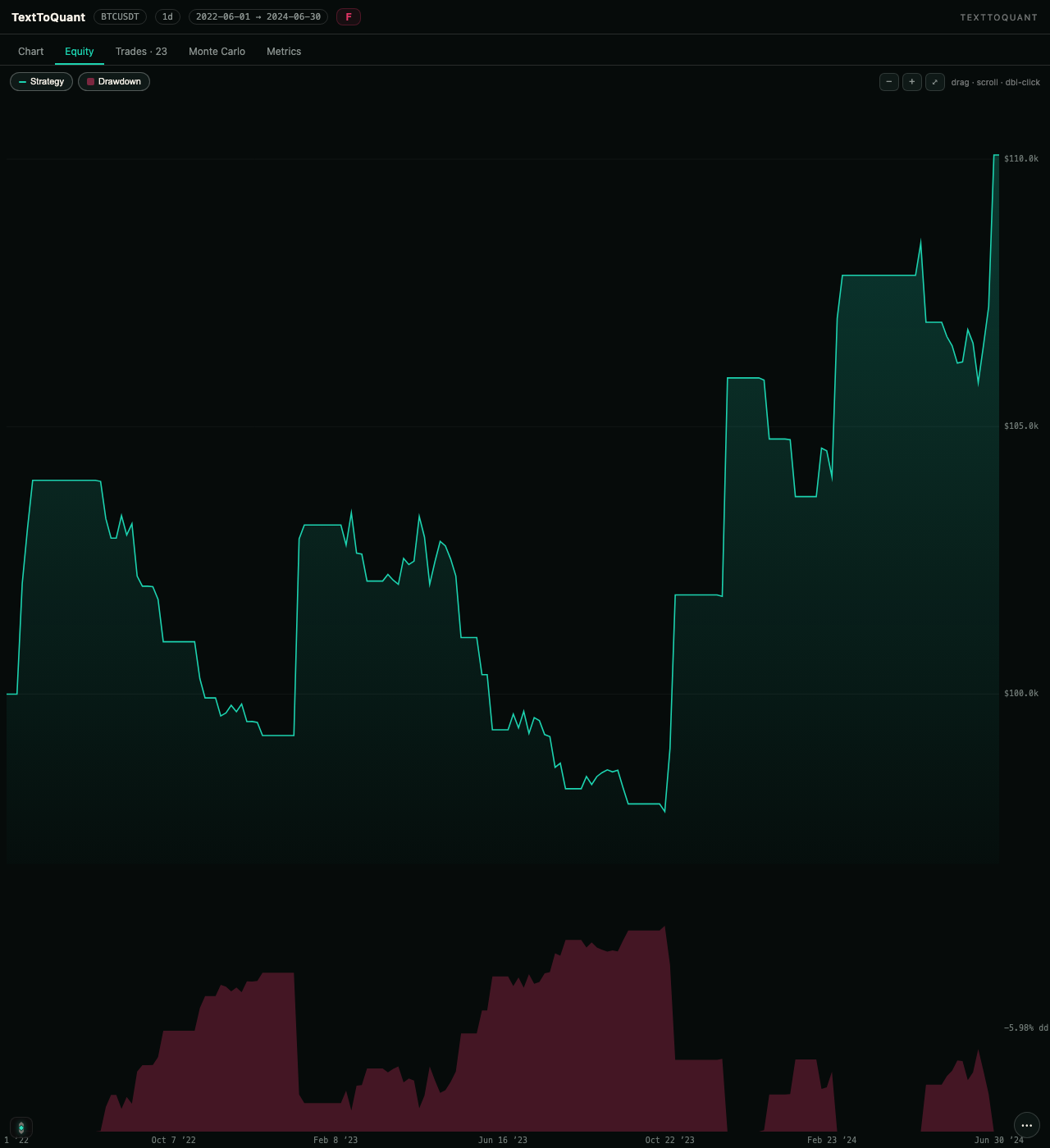
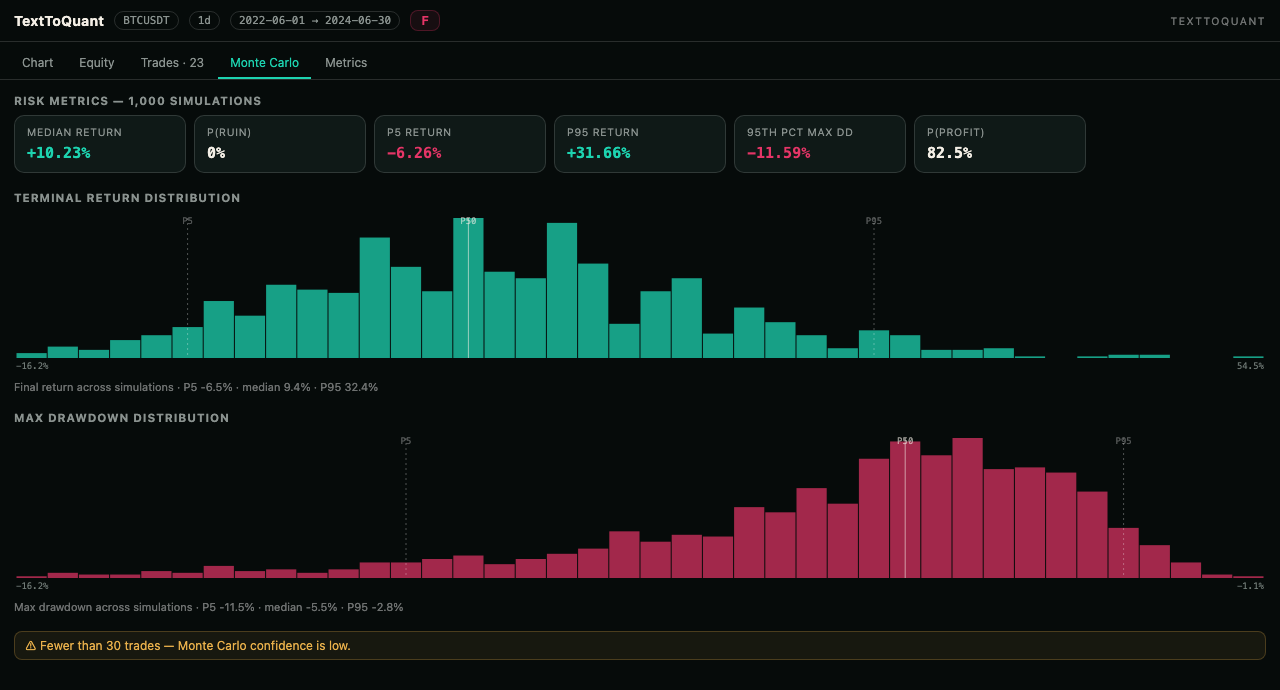
- Run and rerun backtests across crypto, forex and equities, then see the full report: price chart with trade markers, equity and drawdown, trade ledger, Monte Carlo and the metrics board.
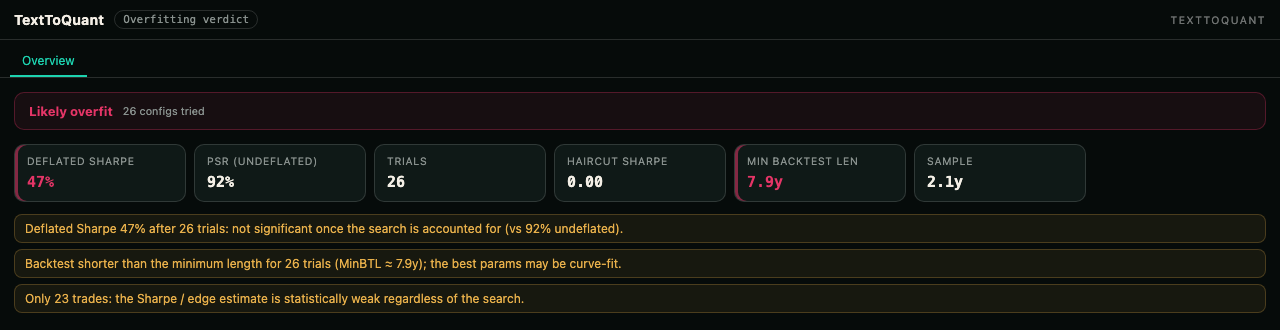
- Stress test a strategy: parameter sweeps, walk-forward tests, multi-asset checks and an overfitting verdict (Deflated Sharpe, PBO).
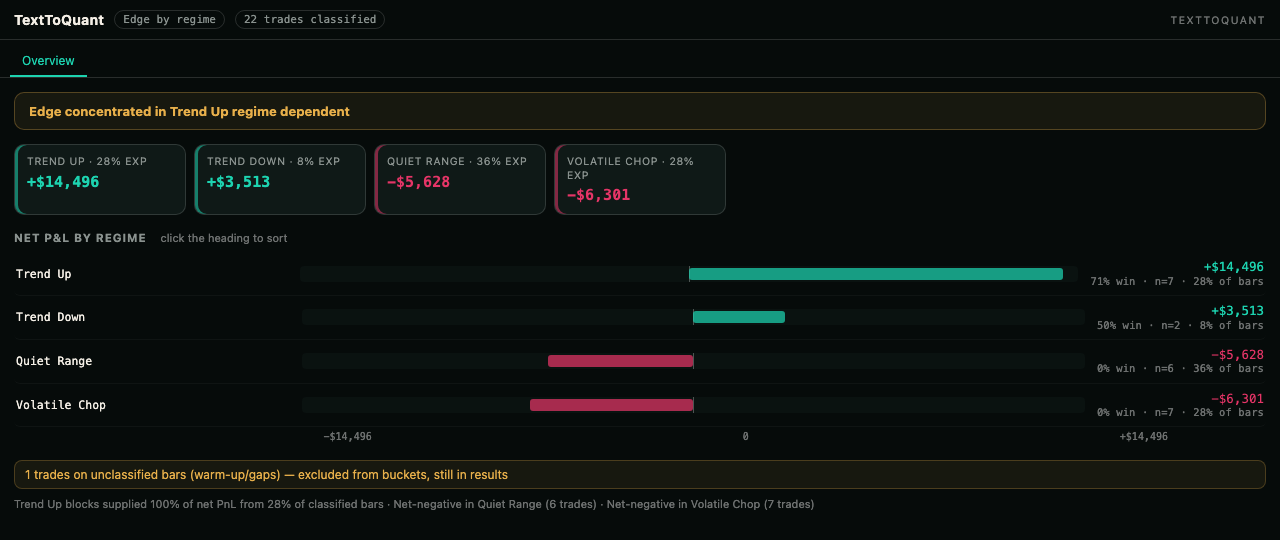
- See where the edge lives: performance by market regime and by indicator context.
- Compare strategy variants side by side and build shared-capital multi-asset portfolios.
- Author custom indicators in Pine Script, JavaScript or Python and use them in strategies.
- Scan the crypto market, set alerts, export a strategy to Pine Script, and share any run as a public interactive report.
Research and education only: nothing is traded and nothing is sold inside Claude. Runs bill from the same plan and credits as your TextToQuant account.
Screenshots
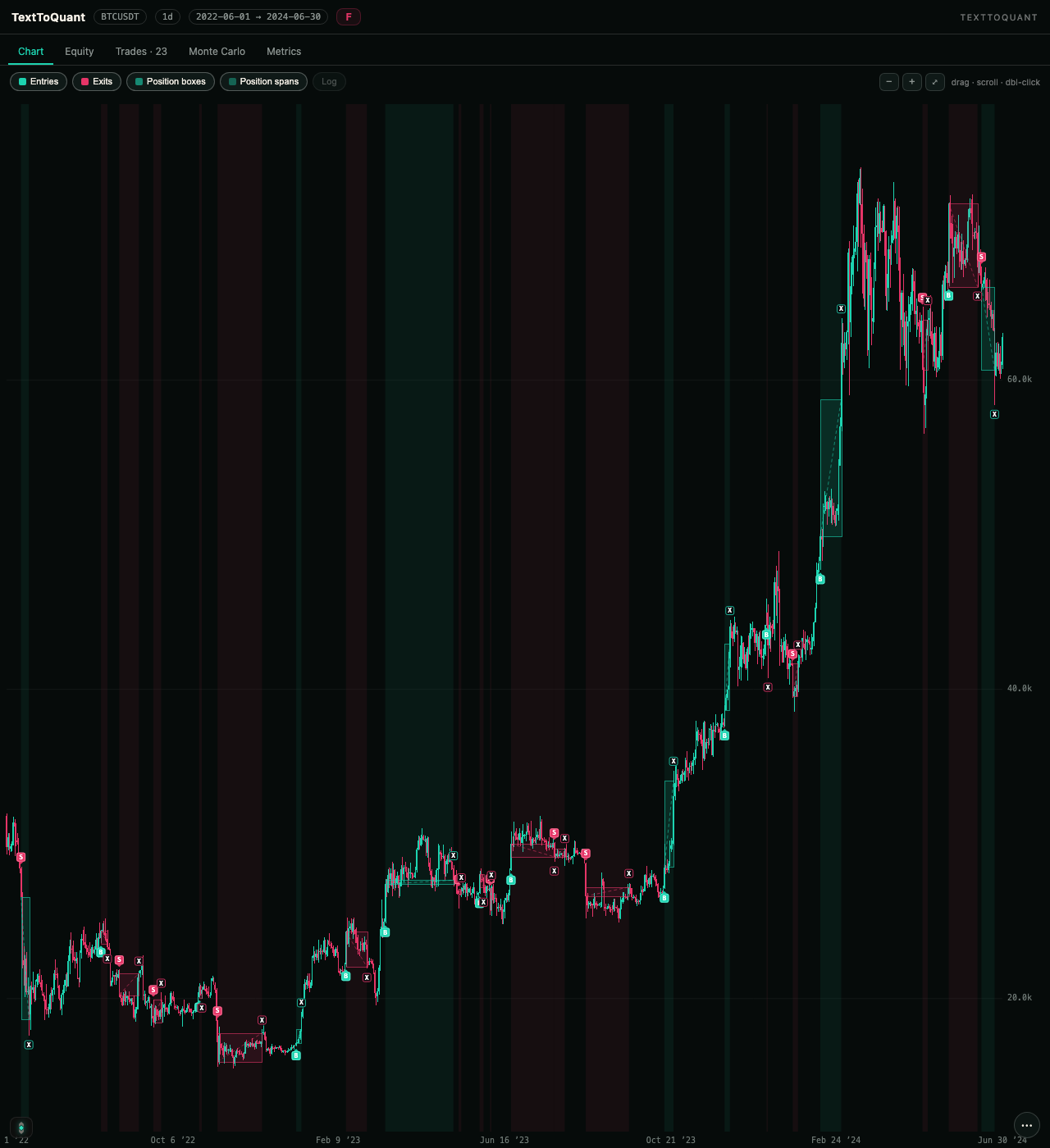
Example prompts
- “Show my BTCUSDT 1d breakout backtest”
- “Show the equity curve and drawdown for this run”
- “How does the Monte Carlo look for this strategy?”
- “Which market regimes does this strategy make its money in?”
- “Is this strategy overfit?”
Install
Add TextToQuant as an MCP connector on a Messages API request (beta header anthropic-beta: mcp-client-2025-04-04):

"mcp_servers": [{
  "type": "url",
  "name": "texttoquant",
  "url": "https://www.texttoquant.com/api/mcp",
  "authorization_token": "<OAuth access token obtained from the TextToQuant authorization server>"
}]

Docs and the OAuth flow: https://docs.texttoquant.com/api/mcp
Tools
- analyze_conditions
- cancel_backtest
- cancel_portfolio_sweep
- compare_backtests
- create_scan_alert
- custom_benchmark
- delete_indicator
- delete_scan_alert
- describe_capabilities
- diff_iterations
- edit_backtest
- explain_grade
- explain_parse
- export_pine
- filter_by_context
- get_analysis
- get_backtest
- get_backtest_data
Show all 77Show fewer
- get_candles
- get_context_trades
- get_indicator
- get_indicator_preview
- get_iterations
- get_notification_channels
- get_overfit_verdict
- get_plans
- get_portfolio
- get_portfolio_analysis
- get_portfolio_sweep
- get_profiler
- get_regime_edge
- get_usage
- lint_indicator
- list_backtests
- list_context_dimensions
- list_examples
- list_indicators
- list_markets
- list_portfolios
- list_scan_alerts
- manage_webhooks
- market_regime
- market_sectors
- organize_history
- parse_portfolio
- parse_strategy
- preview_indicator
- preview_js_indicator
- preview_py_indicator
- publish_to_gallery
- refine_context
- rephrase_strategy
- rsps_matrix
- run_backtest
- run_portfolio
- run_portfolio_sweep
- run_profiler
- save_csv_indicator
- save_js_indicator
- save_pine_indicator
- save_py_indicator
- saved_scans
- scan_market
- share_backtest
- share_portfolio
- show_analysis
- show_backtest
- show_context
- show_portfolio
- start_analysis
- token_multitf
- token_stats
- update_scan_alert
- validate_indicator
- validate_js_indicator
- validate_py_indicator
- workspace_summary
Prompts
- backtest_idea
- review_last_backtest
- robustness_check
- improve_strategy
- market_brief
- portfolio_checkup
- overfit_audit
- explain_this_result
- ship_to_tradingview
- Sign-in
- Required
- Connector URL
- https://www.texttoquant.com/api/mcp
- Transport
- Streamable HTTP
- Permissions
- Reads and runs backtests, analyses, portfolios, custom indicators and market scans in the user's own TextToQuant account. Running a backtest, sweep or portfolio uses the account's plan credits. It never places trades, accesses brokerage or exchange accounts, or reads anything outside the user's TextToQuant workspace.
- Works with
- Claude, Claude API, Claude Code, Claude Desktop
- Added
- September 12, 2026
- More info